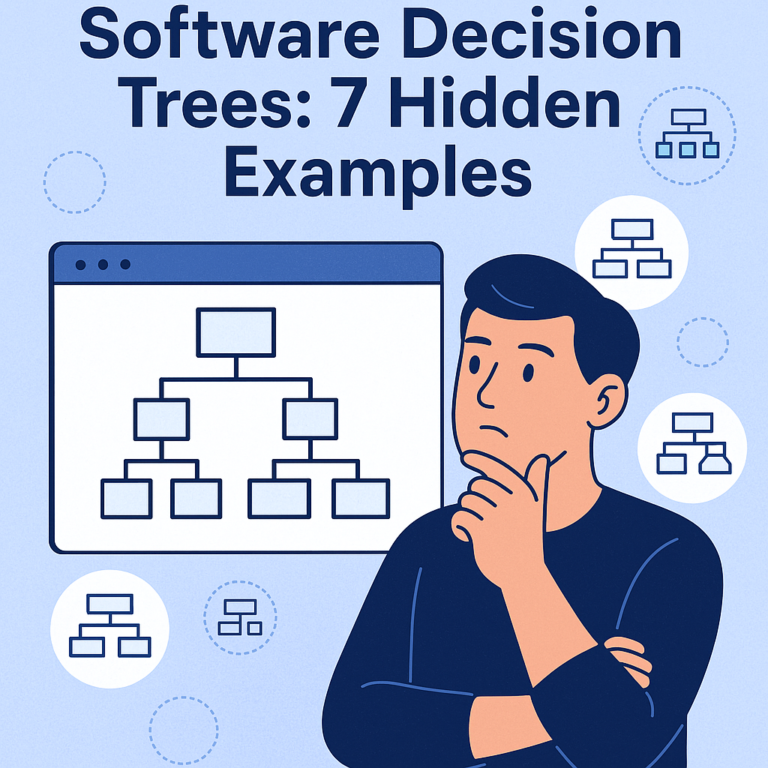
Software Decision Trees: 7 Hidden Examples
If you have ever watched a custom business application instantly route a support ticket, approve a loan, or flag a suspicious order, you have seen software decision trees working quietly in the background. These structured logic maps help applications make consistent, rule-based choices without human guesswork. In 2026, more development teams are building decision trees directly into their platforms, yet most business owners have no idea how versatile this tool actually is. Here are seven genuinely hidden examples worth knowing.
- What Are Software Decision Trees?
- Decision Logic Automation in Customer Support
- Business Rule Engines for Dynamic Pricing
- Software Decision Trees for HR Routing
- Conditional Workflow Software in Healthcare
- Software Decision Trees in Financial Approvals
- Supply Chain and Inventory Decisions
- Software Decision Trees for Compliance Checks
- Frequently Asked Questions
- Final Thoughts
What Are Software Decision Trees?
A decision tree inside a software application is a branching structure of yes/no or multi-value conditions that guide the system toward a specific outcome. Think of it as a flowchart baked directly into the code logic. Each node tests a condition, and each branch leads to either a further test or a final action.
Unlike simple if/else statements scattered across a codebase, a properly designed decision tree is organized, auditable, and easy to update without rewriting core logic. In 2026, many development teams use visual rule editors that let non-developers read and even adjust decision trees without touching raw code. That accessibility is a major reason adoption has grown so sharply in custom software projects.
Decision trees are also different from machine learning models, although the two are often confused. A traditional software decision tree follows explicit rules that a human defines. A machine learning decision tree learns patterns from data. Both have their place, but in custom business software, the explicit, rule-based version is usually what teams actually build and maintain.
Core Components of Software Decision Trees
- Root node: The starting condition that triggers evaluation.
- Branch conditions: Tests applied at each decision point, such as checking a value or comparing a date.
- Leaf nodes: The final outcomes, whether that is approving a request, sending an alert, or routing a task.
- Default paths: Fallback branches that catch unexpected or missing values gracefully.
Decision Logic Automation in Customer Support
One of the most practical uses of software decision trees is in customer support triage. When a ticket arrives, the system needs to figure out urgency, category, and the right team to handle it. Doing this manually for hundreds of daily tickets is slow and inconsistent. Decision logic automation handles it in milliseconds.
A typical support decision tree might first check whether the issue involves billing, technical failure, or general inquiry. From there, it branches based on account tier, time zone, and language. A billing dispute from a premium account might go straight to a senior agent, while a general how-to question gets routed to a self-service knowledge base link. The result is faster resolution times and less burnout for support staff.
Teams that have also explored NIST guidance on AI and automated decision systems often use that framework to ensure their triage logic remains fair and auditable, particularly when customer-facing outcomes vary by account type.
Business Rule Engines for Dynamic Pricing
Business rule engines are a close cousin of decision trees, and pricing is where they really shine. Custom software for e-commerce, wholesale distribution, or SaaS subscriptions often needs to calculate a final price based on dozens of overlapping variables. Doing that with hardcoded math quickly becomes a maintenance nightmare.
A decision-tree-based pricing engine evaluates conditions in sequence. Is the customer a reseller? Apply the wholesale discount. Is the order above a threshold volume? Apply bulk pricing. Is the customer in a region with a specific tax rule? Adjust accordingly. Each condition is a branch, and the engine walks the tree to reach a final calculated price.
Why Business Rule Engines Beat Hardcoded Logic
- Non-developers can update pricing rules without a new software release.
- Audit logs show exactly which branches triggered for any given transaction.
- Edge cases can be added as new branches rather than rewriting existing logic.
- Testing a rule change is isolated rather than risking unintended side effects across the codebase.
Many businesses investing in custom software scalability planning find that separating pricing rules from core application logic using a rule engine dramatically reduces the cost of future changes.
Software Decision Trees for HR Routing
Software decision trees have a surprisingly powerful role in human resources applications. HR involves a constant stream of structured decisions: who approves a leave request, which onboarding checklist applies to a new hire, or whether a performance review triggers an escalation path. These decisions follow rules, which makes them perfect candidates for tree-based logic.
For example, a leave request tree might first check the type of leave, then the employee’s tenure, then available balance, and finally whether the requested dates overlap with a blackout period. If all conditions pass, auto-approval fires and a confirmation email goes out. If any condition fails, the request routes to a manager with a reason note already attached.
Teams that have invested in a strong software onboarding process often integrate decision trees directly into their HR platforms so that every new hire automatically receives role-specific task lists, equipment requests, and training assignments without a single manual step from the HR team.
Conditional Workflow Software in Healthcare
Healthcare is one of the most demanding environments for structured decision logic. Clinical and administrative workflows involve strict protocols, compliance requirements, and patient safety considerations. Conditional workflow software built on decision trees helps healthcare organizations enforce those protocols without relying on staff memorizing every rule.
A patient intake system might use a decision tree to determine which intake form a patient receives based on their age, visit type, and insurance status. An internal referral system might route specialist requests based on the patient’s diagnosis code, available appointment slots, and geographic location. Each branch in the tree corresponds to a protocol that the organization has already reviewed and approved.
The advantage over free-form manual processes is consistency. Every patient in the same situation gets the same routing decision, reducing errors and making audits straightforward. Regulatory bodies reviewing compliance records appreciate seeing documented decision logic rather than anecdotal descriptions of how staff handle edge cases.
Software Decision Trees in Financial Approvals
Software decision trees are deeply embedded in financial approval workflows. Whether a business is processing expense reports, credit applications, or budget sign-offs, there are almost always tiered rules about who can approve what and under which conditions. Decision trees formalize those rules into software that enforces them automatically.
An expense approval tree might check the expense amount first. Under a certain threshold, a direct manager can approve autonomously. Between two thresholds, a department head must also sign off. Above the highest threshold, finance review is mandatory. The tree can also branch based on expense category, so travel expenses follow different rules than equipment purchases.
Software Decision Trees Reduce Approval Bottlenecks
One hidden benefit of using software decision trees for financial approvals is that they actually speed up routine decisions. When the system can evaluate a request against all known rules instantly, approvals that clearly meet the criteria go through without waiting for a manager to get to their inbox. Only exceptions and edge cases require human judgment, which is exactly how approval workflows should operate.
Teams that have worked through a thorough software requirement gathering process before building these systems tend to capture edge cases upfront, resulting in trees that rarely hit unresolved conditions. Organizations exploring automated testing for custom software also benefit here, since decision tree branches are highly testable units of logic.
Supply Chain and Inventory Decisions
Supply chain management software handles an enormous number of small decisions constantly: when to reorder stock, which supplier to use, how to prioritize fulfillment, and whether to flag a shipment as delayed. Decision logic automation through decision trees makes these choices fast and consistent at a scale no human team could match.
An inventory reorder tree might check current stock level against a minimum threshold, then evaluate lead time from primary and backup suppliers, then factor in upcoming demand spikes from the sales calendar. Depending on where the product falls in those branches, the system either triggers an automatic purchase order or escalates to a purchasing manager with a recommended action.
- Automatic reorder when stock is critically low and lead time is predictable.
- Alert-only when stock is low but a large return or transfer is already in transit.
- Escalate when the primary supplier has an active delay flag and the backup exceeds budget tolerance.
- No action when stock is healthy and demand forecasts are stable.
This kind of conditional workflow software removes the cognitive load from operations teams while keeping humans in the loop for genuinely ambiguous situations.
Software Decision Trees for Compliance Checks
Compliance is an area where decision trees genuinely earn their keep. Businesses in regulated industries, from financial services to food manufacturing, need to verify that transactions, products, or records meet specific requirements before moving forward. Manual compliance checking is slow, inconsistent, and hard to audit.
A software decision tree built for compliance might evaluate an export transaction against a checklist of criteria: destination country, product classification, customer verification status, and transaction amount. Each branch either confirms a requirement is met or flags it for review. The tree produces a clear record of every check that ran and its result, which is exactly what regulators want to see.
The beauty of this approach is that when regulations change, developers update the relevant branch of the tree rather than hunting through thousands of lines of procedural code. Teams that have built solid business rule engines for compliance find that regulatory updates become configuration changes rather than full development cycles, saving significant time and cost each year.
Frequently Asked Questions
What is the difference between a software decision tree and a flowchart?
A flowchart is a visual diagram used to plan or document a process, usually created in a design tool and not directly executable. A software decision tree is actual logic built into an application that the system evaluates in real time. Both represent branching conditions, but a decision tree is functional code or configurable rule data that drives live system behavior, while a flowchart is typically documentation or a planning artifact used before or alongside development.
Can non-technical staff update software decision trees?
In many modern custom software platforms, yes. Visual rule editors allow business analysts, compliance officers, or operations managers to view, edit, and test decision tree branches without writing code. This is one of the most appealing features for organizations that need to update business logic frequently. However, the underlying infrastructure still requires developer work to set up initially, and complex trees may still need technical review before changes go live in production environments.
How do software decision trees handle missing or unexpected data?
Well-designed decision trees always include default branches that trigger when a condition cannot be evaluated because data is missing, null, or outside expected values. These default paths typically route the case to a human reviewer rather than making an automated decision on incomplete information. Logging missing data events also helps development teams identify gaps in data collection or integration points that need improvement, making the system smarter over time through targeted fixes.
Are software decision trees suitable for real-time decisions?
Absolutely. Decision trees are computationally lightweight, which makes them excellent for real-time scenarios like fraud detection, dynamic pricing, or instant eligibility checks. A well-structured tree evaluates conditions in microseconds, even with dozens of branches. For high-volume applications processing thousands of transactions per second, decision trees are often preferred over heavier model-based approaches because they are fast, predictable, and produce results that developers and business owners can explain clearly to stakeholders or regulators without a data science degree.
How do you test a software decision tree before deploying it?
Testing a decision tree involves creating test cases that cover every branch path, including edge cases and default fallback paths. Each test case specifies input conditions and the expected outcome. Automated test suites run all cases on every code change, catching regressions instantly. Many teams also use sandbox environments where real data samples can be run through the new tree version before it goes live. Visual rule editors with built-in simulation tools let business stakeholders run what-if scenarios themselves, adding a valuable layer of validation before production deployment.
Final Thoughts
Software decision trees are one of the most underrated tools in the custom business software toolkit. They bring structure, speed, and accountability to decisions that would otherwise depend on individual judgment, tribal knowledge, or manual checklist processes. From HR routing and financial approvals to compliance checking and supply chain management, the seven examples covered here show just how wide their practical reach extends.
If your business currently relies on staff knowing the rules by heart, a decision tree built into your software is a direct path to consistency and scale. The initial investment in mapping your logic pays dividends every time the system makes the right call instantly, day or night, without anyone having to remember the exceptions.
Whether you are early in your custom software development journey or looking to add more intelligence to an existing platform, decision trees deserve serious consideration as a core building block, not an afterthought.