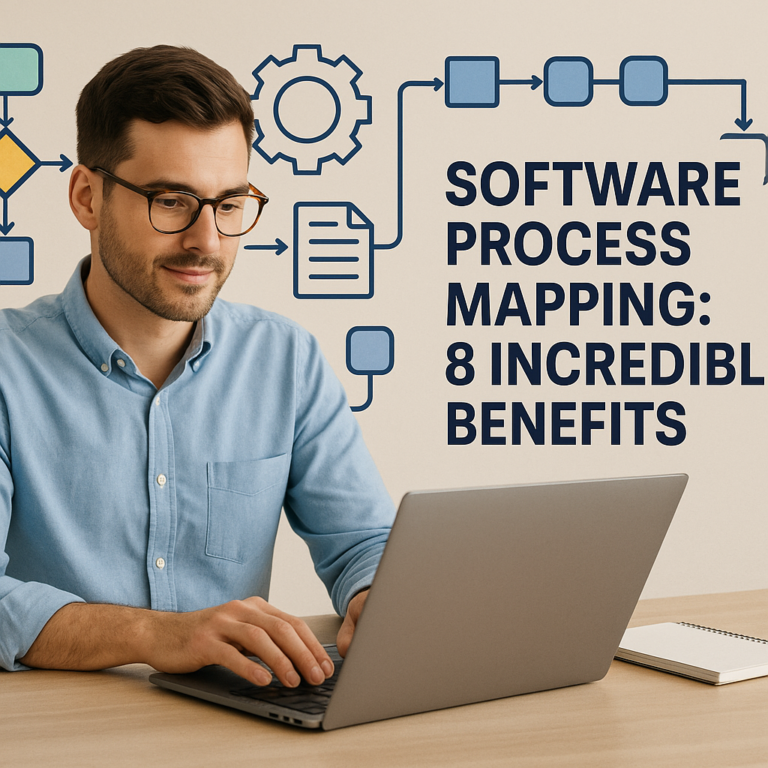
Software Process Mapping: 8 Incredible Benefits
Software process mapping is one of the most underrated tools in any custom automation project. When teams take the time to visually document how work actually flows through their systems, they uncover inefficiencies, reduce errors, and build smarter automation from the ground up. Whether you are starting fresh or improving an existing setup, understanding software process mapping gives your team a serious advantage. This article walks through eight incredible benefits and why this practice deserves a permanent place in your development workflow.
- What Is Software Process Mapping?
- Benefit 1: Unmatched Clarity for Teams
- Benefit 2: Smarter Process Mapping Automation
- Benefit 3: Better Business Process Visualization
- Benefit 4: Stronger Workflow Process Documentation
- Benefit 5: Improved Stakeholder Communication
- Benefit 6: Early Risk Detection
- Benefit 7: Faster Team Onboarding
- Benefit 8: Easier Long-Term Scalability
- Frequently Asked Questions
- Final Thoughts
What Is Software Process Mapping?
Software process mapping is the practice of visually representing every step, decision point, and data flow within a software system or business operation. Think of it as creating a detailed blueprint that shows exactly what happens at every stage, from user input to final output. These maps can take many forms, including flowcharts, swimlane diagrams, and BPMN diagrams.
Unlike informal notes or verbal explanations, a process map gives everyone on the team a shared, objective view of how things work. It removes assumptions and replaces them with documented reality. This is especially powerful in custom software environments where processes are often unique to a specific business and not well understood outside of a small group of people.
In 2026, process mapping tools have become significantly more advanced. Many now integrate directly with development environments, allow real-time collaboration across distributed teams, and even use AI to suggest optimizations. But the core value of the practice has not changed. It remains about making the invisible visible.
Benefit 1: Unmatched Clarity for Teams and Software Process Mapping
One of the biggest problems in custom software development is misalignment. Developers, business analysts, and project managers often have very different mental models of how a process works. Software process mapping forces everyone to look at the same picture and agree on what they are actually building.
This kind of clarity eliminates the expensive back-and-forth that happens when assumptions go unchecked. When a team can point to a diagram and say, “This is exactly how data moves from step A to step B,” there is far less room for misinterpretation. The result is fewer bugs, fewer rework cycles, and faster delivery times.
- Shared visual language across all team roles
- Fewer meetings spent re-explaining the same concepts
- Reduced misunderstandings between technical and non-technical stakeholders
- Clearer scope boundaries for each automation task
Benefit 2: Smarter Process Mapping Automation
Process mapping automation is the natural next step after you have documented your processes manually. Once you have a clear map, automation becomes far more targeted and effective. You know exactly which steps are repetitive, which require human judgment, and which are bottlenecks that slow everything down.
Without a process map, automation can sometimes make things worse. Teams automate the wrong steps, skip over root causes, or build systems that solve symptoms rather than actual problems. A solid process map acts as a foundation for intelligent automation decisions.
In 2026, many organizations are combining process mapping with AI-driven analysis tools to automatically identify which process segments are the best candidates for automation. This data-driven approach significantly improves return on investment and reduces the risk of automating complexity rather than eliminating it.
How Process Mapping Automation Works in Practice
The typical workflow involves mapping your current state process first, then identifying gaps and inefficiencies, and then designing a future state map that includes automation at the right checkpoints. From there, developers use the future state map as a precise specification document for building the automation logic.
- Current state mapping reveals what is really happening
- Gap analysis highlights where automation adds the most value
- Future state maps serve as a development specification
- Validation loops ensure the built automation matches the intended design
Benefit 3: Better Business Process Visualization
Business process visualization is not just about making pretty diagrams. It is about creating a shared understanding that different audiences can engage with at different levels of detail. Executives need high-level overviews. Developers need technical depth. Process maps can serve both needs simultaneously when built correctly.
Modern visualization tools in 2026 support layered diagrams, meaning you can zoom in for detail or zoom out for the big picture without needing a separate document for each audience. This saves time and keeps everyone working from the same source of truth.
Strong business process visualization also makes it easier to communicate the value of custom automation to decision makers. When a stakeholder can see exactly where automation is being applied and why, they are far more likely to support the project and provide appropriate resources. You can reference research on process improvement standards from the National Institute of Standards and Technology, which publishes guidelines on operational efficiency and process improvement that reinforce why structured visualization matters.
Benefit 4: Stronger Workflow Process Documentation
Workflow process documentation is something many software teams intend to do but rarely prioritize. Process maps solve this problem naturally because the mapping activity itself produces documentation as a byproduct. You are not creating separate documents after the fact. The map is the documentation.
This is particularly valuable for custom software environments where institutional knowledge is a real risk. When the one person who understands a complex workflow leaves the company, that knowledge often walks out the door with them. A thorough process map ensures that critical process knowledge is captured, structured, and accessible to anyone who needs it.
- Reduces dependency on individual team members
- Creates audit-ready process records
- Makes compliance reviews faster and more accurate
- Supports consistent onboarding of new staff
Teams working on software scalability planning often find that well-maintained workflow process documentation is what makes expansion possible without creating chaos. You cannot scale what you cannot clearly describe.
Benefit 5: Improved Stakeholder Communication with Software Process Mapping
Custom software projects often involve many different stakeholders, each with their own priorities and levels of technical understanding. Software process mapping gives you a universal communication tool that works across all of those audiences. A clear process map can explain a complex automation idea to a non-technical executive in minutes.
In 2026, this matters even more because software projects frequently involve distributed teams across multiple time zones. Written explanations can be misunderstood when read without context. A visual process map carries its own context. Someone reviewing it asynchronously gets the same message as someone who was in the original design meeting.
Better communication also leads to better buy-in. Stakeholders who feel informed and included are far more likely to support a project through its difficult phases. A process map gives them something concrete to react to, approve, or suggest changes to, which makes the collaboration far more productive.
Benefit 6: Early Risk Detection in Software Process Mapping
One of the most valuable but least discussed benefits of software process mapping is its ability to surface risks before any code is written. When you map out a process in detail, you naturally start asking questions like, “What happens if this step fails?” or “What if the data coming in is incomplete?”
These questions are much cheaper to answer at the mapping stage than during development or after deployment. Finding a design flaw in a diagram takes minutes to fix. Finding the same flaw in deployed code can take weeks of debugging and rework.
- Identify single points of failure before they become production problems
- Spot circular dependencies that would break automation logic
- Reveal missing error handling steps early
- Highlight compliance gaps before they become audit findings
Teams that already invest in automated testing for custom software will find that process maps make it significantly easier to design test cases. Every decision point on the map represents a branch that needs to be tested, and the map itself becomes a testing guide.
Benefit 7: Faster Team Onboarding
Bringing new developers or analysts onto a custom software project can be painfully slow. Without clear documentation, new team members spend weeks asking questions, reading old emails, and trying to reverse-engineer how things work. Software process mapping dramatically shortens this ramp-up time.
A new team member who can sit down with a well-structured process map on day one can understand the system architecture and automation logic far faster than someone who has to piece it together from scattered sources. This is true for both technical and non-technical roles.
In 2026, many teams build interactive process maps that include embedded explanations, links to related documents, and even short video walkthroughs attached to specific nodes. This makes onboarding a much more self-directed experience, freeing senior team members from repetitive explanation tasks.
Software Process Mapping as an Onboarding Resource
Treating process maps as living onboarding documents means updating them whenever the system changes. This keeps the documentation accurate and ensures that onboarding stays efficient even as the software evolves. Teams that embrace this approach report significantly shorter time-to-productivity for new hires.
- New hires understand system logic within the first week
- Less time spent in one-on-one explanation sessions
- Consistent knowledge transfer regardless of who does the onboarding
- Maps can be updated to reflect system changes in real time
Benefit 8: Easier Long-Term Scalability
Scaling a custom software system without clear process documentation is like trying to expand a building without the original blueprints. You might be able to do it, but you will make a lot of costly mistakes along the way. Software process mapping gives you those blueprints.
When your maps are accurate and up to date, adding new features, integrating new tools, or expanding to new user groups becomes a much more structured and predictable activity. You can see exactly where new functionality needs to connect with existing processes and where conflicts might arise before any development begins.
Teams planning API integration automation will find that having detailed process maps makes the integration design process far more straightforward. Each connection point is clearly defined, reducing the back-and-forth between teams about what data needs to go where and when.
Long-term scalability also depends on being able to hand off systems to new teams or vendors. A well-mapped system is much easier to transfer because the logic is documented and understandable without deep institutional knowledge.
- Reduces time and cost when adding new system features
- Makes vendor transitions far less disruptive
- Supports compliance reviews as the system grows
- Ensures automation logic remains consistent at scale
Frequently Asked Questions
What tools are commonly used for software process mapping in 2026?
In 2026, popular tools for software process mapping include cloud-based platforms that support real-time collaboration, AI-assisted diagram generation, and direct integration with development tools. Many teams use BPMN-compliant tools for formal process documentation, while others prefer lighter visual tools for quick mapping sessions. The best choice depends on team size, technical complexity, and how the maps will be used downstream in the development process. The key is picking a tool that your whole team will actually use consistently.
How is software process mapping different from software architecture design?
Software process mapping focuses on the flow of work, decisions, and data through a system or business operation. It is primarily about how processes behave step by step. Software architecture design, on the other hand, focuses on the structural components of the system itself, such as databases, services, and infrastructure. The two are complementary. Process maps inform architecture decisions by making clear what the system needs to do, while architecture design determines how the system is built to meet those requirements.
How often should process maps be updated?
Process maps should be updated whenever a significant change is made to the system or the underlying business process. Many teams build update checkpoints into their development workflow so that maps are reviewed at the start and end of each major project phase. Treating process maps as living documents rather than one-time artifacts ensures they remain useful over the long term. Outdated maps can actually create problems by misleading new team members or giving stakeholders an inaccurate picture of how things work.
Can small teams benefit from software process mapping?
Absolutely. In fact, small teams often benefit the most because they have less margin for error and fewer people to catch mistakes. A small team that maps their processes clearly can move much faster because everyone shares the same understanding. There is no need for lengthy status meetings to re-explain how a system works. Even a simple one-page process map created at the start of a project can save hours of confusion and rework down the line, making it a high-return investment regardless of team size.
Is software process mapping only useful for large or complex systems?
Not at all. While large and complex systems clearly benefit from thorough process mapping, even simple custom software projects can gain value from this practice. A basic process map helps a team align on scope, spot edge cases early, and document what was built for future reference. The depth and formality of the map can scale to match the complexity of the project. A simple automation script might need only a one-page flowchart, while a multi-system enterprise integration might require a layered set of detailed BPMN diagrams.
Final Thoughts
Software process mapping is one of those practices that pays for itself many times over. From clearer communication and faster onboarding to smarter automation and easier scaling, the benefits are both immediate and long-lasting. The eight advantages covered in this article only scratch the surface of what consistent, high-quality process mapping can do for a custom software team.
If your team is not already using process mapping as a standard part of your development workflow, 2026 is the right time to start. The tools are better than ever, the methods are well-established, and the competitive advantage of doing it well is real. Start simple, stay consistent, and let your process maps grow with your software.