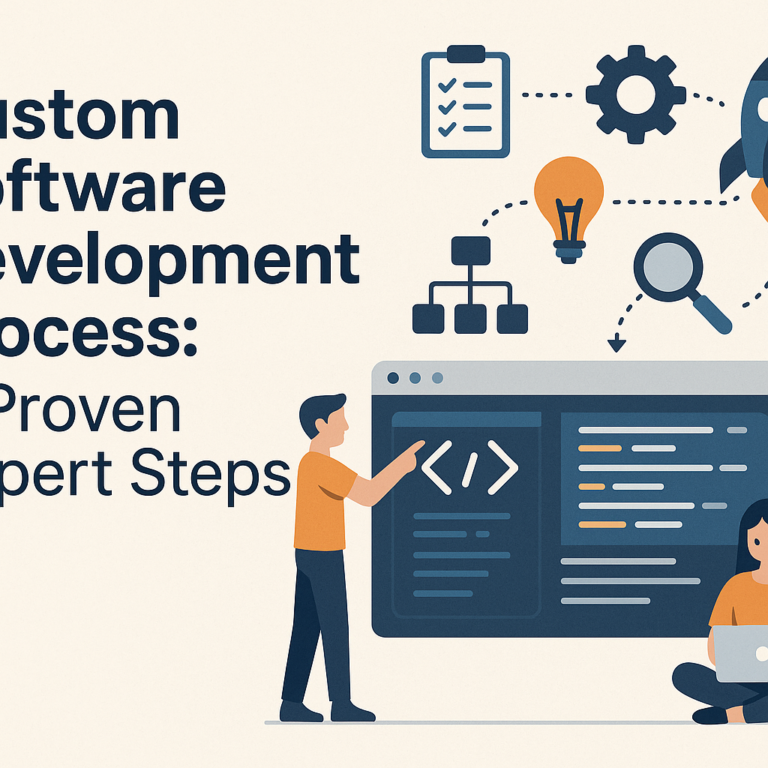
Custom Software Development Process: 8 Proven Expert Steps
The custom software development process can feel overwhelming, especially if you have never built business software from scratch before. Get it right and you end up with a tool that fits your business like a glove. Get it wrong and you waste months of effort and serious budget. This guide walks you through 8 proven expert steps that experienced development teams use to deliver software that actually works, on time and within scope.
- Step 1: Discovery and Requirements Gathering
- Step 2: Software Project Planning
- Step 3: System Architecture and Design
- Step 4: Agile Development Methodology in Practice
- Step 5: Testing and Quality Assurance
- Step 6: Deployment and Launch
- Step 7: Training and Change Management
- Step 8: Ongoing Maintenance and Iteration
- Frequently Asked Questions
- Final Thoughts
Step 1: Discovery and Requirements Gathering in the Custom Software Development Process
Every successful software project starts with a deep discovery phase. This is where you and your development team sit down together to figure out exactly what the software needs to do, who will use it, and what problems it must solve. Skipping this phase or rushing through it is the single biggest reason custom software projects fail.
Discovery typically takes one to three weeks and involves structured interviews with stakeholders, observation of existing workflows, and a review of any current tools or systems you use. The goal is to produce a clear, agreed-upon requirements document that everyone signs off on before a single line of code is written.
- Map out all user roles and what each person needs the software to do
- Identify pain points with your existing tools or manual processes
- List integration requirements with other platforms or data sources
- Agree on must-have features versus nice-to-have features
- Define success metrics so you know what “done” actually looks like
Step 2: Software Project Planning
Software project planning is where your vision gets translated into a realistic roadmap. This step sets timelines, assigns responsibilities, defines milestones, and establishes a budget baseline. Without a solid plan, even the most talented development team can veer off course quickly.
A good project plan breaks the work into phases and sprints, which makes progress visible and problems easier to catch early. Many businesses underestimate planning time and pay for it later in the form of scope creep, missed deadlines, and budget blowouts. Treat your plan as a living document that gets updated as the project moves forward.
Key Elements of Effective Software Project Planning
- Define a clear project scope with written boundaries
- Set realistic timelines based on team capacity, not wishful thinking
- Identify risks upfront and assign mitigation strategies
- Agree on a communication cadence, such as weekly check-ins or sprint reviews
- Document decision-making authority so there are no bottlenecks
Good software project planning also involves choosing the right development approach. Most modern teams default to iterative methods, which we cover in step 4, but the planning phase is where that decision gets locked in.
Step 3: System Architecture and Design
Once requirements are clear, your technical team designs the blueprint for how the software will be built. This includes choosing the tech stack, defining the database structure, planning API connections, and deciding how the user interface will be organized. These decisions have long-term consequences, so they deserve serious attention.
Good architecture makes your software easier to maintain, scale, and update over time. Poor architecture creates what developers call “technical debt,” where shortcuts taken early become expensive problems later. A well-designed system can grow with your business instead of holding it back.
- Choose a tech stack that suits your scalability needs and your team’s expertise
- Design a database schema that handles your expected data volume efficiently
- Create wireframes and UI mockups before development starts
- Plan for security from the beginning, not as an afterthought
- Document architectural decisions so future developers can understand the system
Step 4: Agile Development Methodology in the Custom Software Development Process
Agile development methodology has become the standard approach for most custom software projects in 2026, and for good reason. Rather than building everything at once and revealing it at the end, agile breaks work into short cycles called sprints, typically two weeks long. At the end of each sprint, you see working software and can provide feedback.
This approach catches misunderstandings early, when they are cheap to fix, rather than after months of development. It also keeps stakeholders engaged throughout the project instead of leaving them in the dark until launch day.
How Agile Development Methodology Works in Practice
Each sprint starts with a planning session where the team selects features from the backlog to build. Daily standups keep everyone aligned. At the end of the sprint, a demo is held where real users or stakeholders review what was built. Their feedback directly shapes the next sprint. This cycle repeats until the software is complete.
- Maintain a prioritized backlog of features that evolves throughout the project
- Hold retrospectives after each sprint to improve team processes
- Keep sprint goals small enough to complete fully within two weeks
- Involve real end users in demos, not just managers or executives
If you have previously explored business process automation or are thinking about workflow automation tools, agile methodology pairs especially well with those efforts because it lets you test automated processes incrementally rather than all at once.
Step 5: Testing and Quality Assurance in the Custom Software Development Process
Testing is not a phase that happens at the end. In a well-run custom software development process, testing runs continuously alongside development. Bugs found during development cost a fraction of what they cost once software is live in production.
There are several layers of testing that every serious project should include. Each layer catches different types of problems and together they give you confidence that the software behaves correctly under real-world conditions.
- Unit testing: Tests individual functions or components in isolation
- Integration testing: Checks that different parts of the system work together correctly
- User acceptance testing (UAT): Real users test the software against actual business scenarios
- Performance testing: Ensures the software handles expected load without slowing down
- Security testing: Looks for vulnerabilities before attackers can find them
According to research shared by NIST, software bugs cost the US economy tens of billions of dollars annually, and most of that cost comes from defects found after release. Investing in thorough testing upfront is not optional, it is just smart economics.
Step 6: Deployment and Launch
Deployment is where your software moves from a development environment into the hands of real users. This step requires careful coordination to minimize disruption and ensure everything works as expected in the live environment. A poorly planned deployment can undo months of excellent work in a matter of hours.
Modern teams use a staged rollout strategy, releasing to a small group of users first, then gradually expanding. This limits risk and gives you a chance to catch any environment-specific issues before they affect your whole team.
Custom Software Development Process: Deployment Best Practices
- Use a staging environment that mirrors production as closely as possible
- Create a detailed deployment checklist and assign each item to a named person
- Plan for a rollback procedure in case something goes wrong
- Communicate the launch timeline clearly to all affected users in advance
- Monitor system performance and error logs closely in the first 48 hours
If your software connects to an existing ERP system integration or other enterprise platforms, coordinate deployment timing carefully to avoid conflicts with those systems during peak business hours.
Step 7: Training and Change Management
Even the best software fails if people do not know how to use it or resist adopting it. Training and change management are often treated as afterthoughts, but they deserve their own dedicated step in the custom software development process. People adopt new tools when they understand the benefits and feel confident using them.
Training should be role-specific. A warehouse manager needs different guidance than an accountant or a customer service rep. Generic one-size-fits-all training sessions often miss the mark and leave people frustrated rather than empowered.
- Create short, role-specific training videos that users can revisit anytime
- Set up a sandbox environment where users can practice without fear of breaking anything
- Identify internal champions in each department who can support their colleagues
- Gather feedback during the first two weeks of use and address confusion quickly
- Document common questions in a searchable internal knowledge base
Step 8: Ongoing Maintenance and Iteration
Launching your software is not the finish line, it is the starting line. The software development lifecycle continues well beyond launch with ongoing maintenance, bug fixes, security patches, and feature enhancements. Businesses that treat software as a one-time purchase rather than an ongoing investment end up with tools that quickly become outdated.
Plan for a post-launch support period, typically 30 to 90 days, where your development team is on standby to address issues quickly. After that, establish a regular release cadence for updates and new features based on user feedback and changing business needs.
- Set up automated monitoring and alerting so issues surface before users report them
- Schedule quarterly reviews to assess software performance against business goals
- Maintain a live backlog of requested features, ranked by business value
- Apply security patches promptly, especially for underlying libraries and frameworks
- Revisit the original success metrics from step 1 to measure actual business impact
Businesses that invest in custom software often find that the tool evolves alongside their operations. This is especially true for companies that have already tackled legacy system modernization, since custom software often replaces outdated systems and needs room to grow.
Frequently Asked Questions About the Custom Software Development Process
How long does the custom software development process typically take?
The timeline varies significantly depending on complexity. A simple internal tool might take eight to twelve weeks. A mid-complexity platform with multiple integrations and user roles typically takes four to nine months. Enterprise-level systems can take over a year. The key factors are the number of features, integration requirements, and how quickly stakeholders can provide feedback and approvals. Delays in decision-making on the client side are often the biggest factor in extended timelines. Starting with a minimum viable product and iterating can help you get value faster.
What is the most common mistake businesses make during the custom software development process?
The single most common mistake is skipping or rushing the discovery and requirements phase. Businesses often want to jump straight to building, but unclear requirements lead to a finished product that does not match what stakeholders actually needed. This results in costly rework and disappointment from both sides. Spending extra time upfront to document and agree on requirements is never wasted. A close second mistake is failing to involve end users throughout the project, not just executives and managers who may not understand day-to-day workflows.
How does agile development methodology differ from traditional waterfall development?
Traditional waterfall development completes each phase fully before moving to the next, meaning you do not see working software until near the end of the project. Agile development methodology breaks the project into short sprints, delivering working software every two weeks. This allows for continuous feedback and adjustment throughout the project. Agile is better suited to most custom business software projects because requirements often evolve as stakeholders see early versions and refine their thinking. Waterfall can still work well for highly regulated projects with fixed, well-understood requirements.
What should I look for when choosing a custom software development partner?
Look for a team with experience building software in your industry or with similar technical requirements. Ask to see case studies and speak to past clients directly. Evaluate how they communicate during the sales process, because that behavior will continue once the project starts. Confirm they follow a structured software development lifecycle with clear documentation practices. Ask specifically about their testing processes and how they handle scope changes. A good partner will push back when your requirements are unclear rather than just agreeing to everything you ask for.
How do I measure the success of a custom software development project?
Success metrics should be defined during the discovery phase, not after launch. Common metrics include time saved per task, reduction in errors or manual data entry, user adoption rates within the first 90 days, and measurable improvement in the business process the software was built to support. Financial ROI is another key metric, comparing the cost of development against the value generated through efficiency gains, revenue growth, or cost reduction. Schedule a formal review at the three-month and six-month marks to assess real-world results against original goals.
Final Thoughts on the Custom Software Development Process
The custom software development process is a journey with many moving parts, but following these 8 proven steps gives you a solid framework to work within. Each step builds on the last, and cutting corners at any stage tends to create problems that cost more to fix later.
Whether you are building your first internal tool or replacing a complex legacy system, the principles stay the same: understand the problem deeply, plan carefully, build iteratively, test thoroughly, and keep improving after launch. The businesses that treat software development as a strategic investment rather than a one-time purchase are the ones that get the most long-term value from their tools.
Start with step one, take each phase seriously, and you will end up with software that genuinely supports your business instead of fighting against it.